Full classes,
fair waitlists
Set the timetable once. Members book in the app, the waitlist moves up on its own, and late cancels are charged the way you decide.
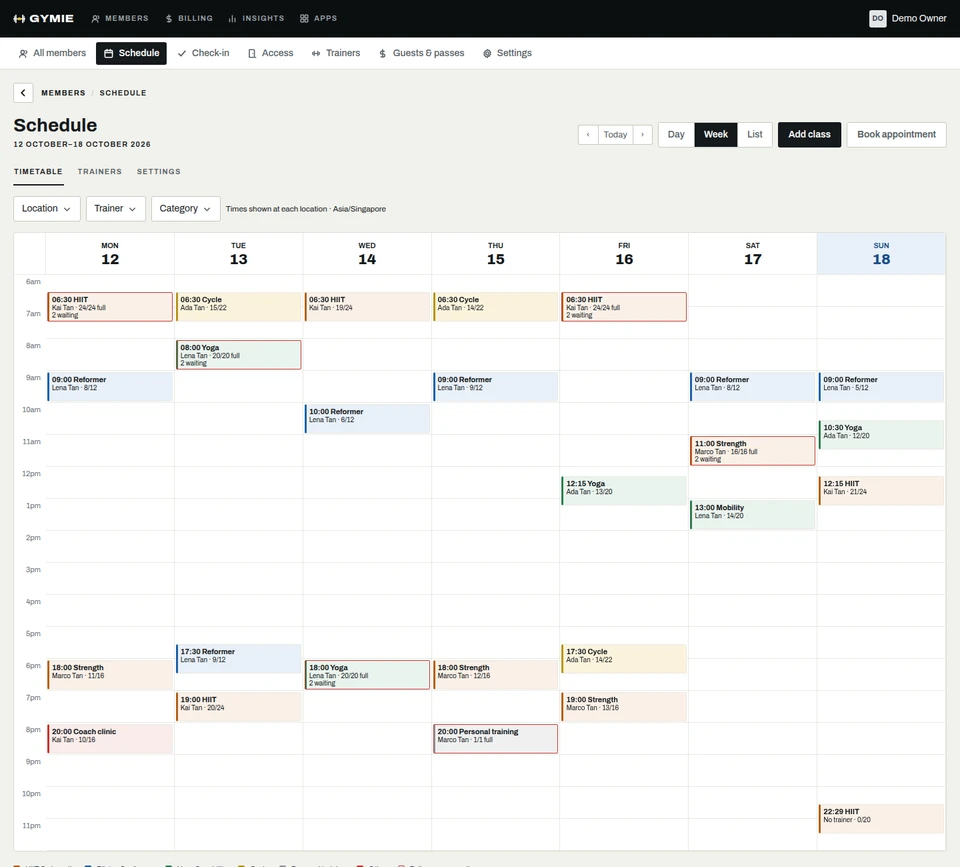
A timetable you set once
Build a weekly schedule with rooms, trainers and capacity. Gymie creates each class ahead of time, and a change to one class does not touch the rest.
- Rooms, trainers and capacity per class
- Change or cancel one class without editing the schedule
- Members see changes in the app straight away

Waitlists that fill themselves
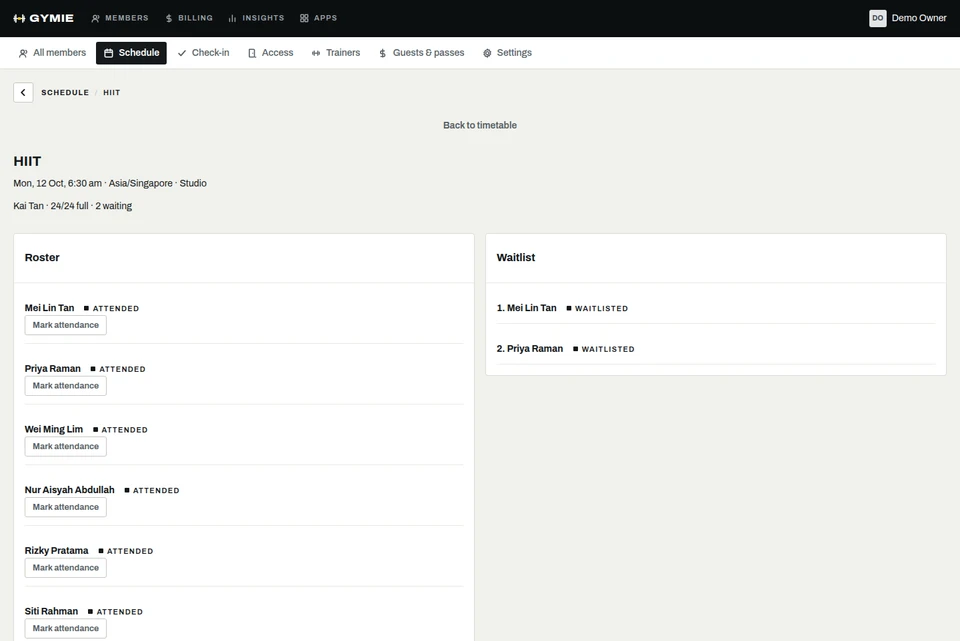
When a class is full, members join the waitlist. When someone cancels, the next person gets the spot and an email.
- Promotion in waitlist order
- Raising capacity promotes people too
- Staff can book someone over capacity with a reason
Late cancels and no-shows
Set a cancellation window and what happens inside it: a fee, a lost credit, or nothing. No-shows follow the same rules.
- Your window, your fee
- Credits taken from packs
- Fees voided if you cancel the class

Personal training and appointments
Trainers set their availability. Members book a session, and it lands in the trainer’s calendar with the right price or pack.
- Trainer availability
- Appointment types with their own price
- Paid from a pack or invoiced

Questions
Talk to usCan members book from their phone?
Yes, in the Gymie member app. They see spots left, join waitlists and cancel within your rules.
What happens when I cancel a class?
Everyone booked is told, and any late-cancel fees for that class are voided.
Do class packs work with bookings?
Yes. Booking takes a credit, and your cancellation rules decide when it comes back.
Can I run classes in more than one room?
Yes. Each class has a room, a trainer and a capacity, at any of your branches.

See it with your gym
Try the desk now, or message us on WhatsApp and we will set Gymie up with your real plans and prices.
30 days free. No card needed. WhatsApp us